 VidSnag
Download videos
without the sketchy sites.
A free desktop app that grabs videos from YouTube, TikTok, Instagram and 1,000+ other sites, in the quality you pick. No pop-ups, no watermarks, no account.
Free forever · no account · Windows 10 & 11 Download the .ZIP if your browser blocks the .exe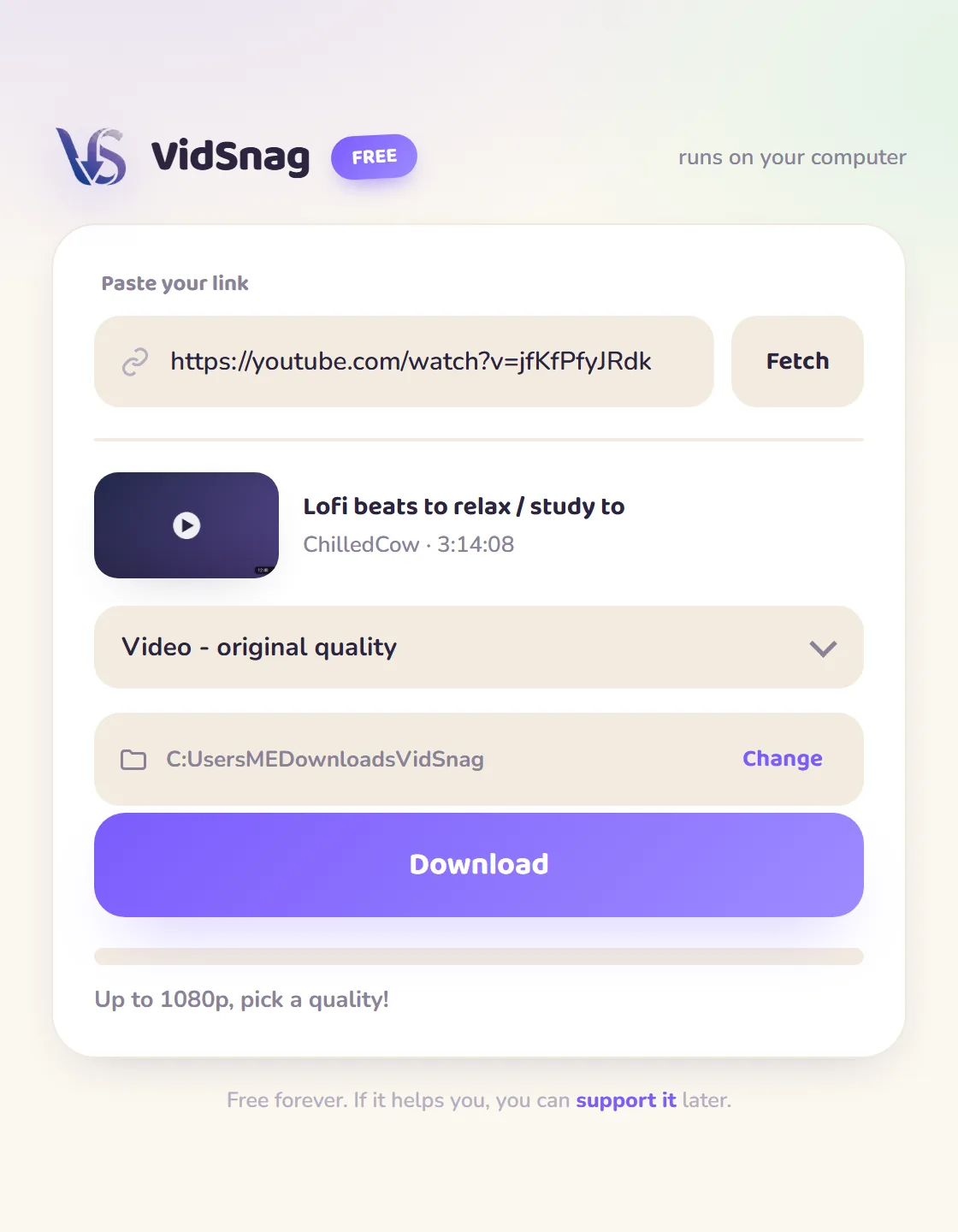
The community chat
Leave a message, request a feature, or just say hi. Supporters get a gold badge.
Keep VidSnag free for everyone
No paywall, no sketchy junk — it stays alive because people chip in. Pick what feels right, right here:
No account, give once · USDT on BNB Smart Chain (BEP20)
Tired of this?
Pop-ups everywhere
Three new tabs open before the download even starts.
Fake download buttons
You click "Download" and get a virus installer instead.
Capped at 720p, watermarked
The "free" version cripples quality to upsell you.
VidSnag does none of that. It's just a clean little app on your computer.
Three steps. That's it.
Paste a link
Copy any video URL and drop it into VidSnag.
Pick a quality
From crisp 4K down to 480p, or audio-only MP3. Your call.
Grab it
Saves straight to the folder you choose. Done!
Everything you'd want. Nothing you wouldn't.
Up to 4K
Grab the sharpest version a video offers, or step down to save space.
MP3 audio
Just want the sound? Pull audio-only and skip the video entirely.
1,000+ sites
YouTube, TikTok, Instagram, Vimeo, X, Facebook and 1,000+ more, one app.
No junk, ever
No pop-ups, no redirects, no fake download buttons, no bundled adware.
Stays private
Downloads run on your machine. Nothing is uploaded or tracked.
Always free
Every feature, no paywall, no trial. Tips keep it alive.
Download from your favorite sites
Free, dedicated downloaders for the sites people grab from most.
The people keeping it alive
Every name here chipped in to keep VidSnag free and updated for everyone else. Add yours and become part of it.
Be supporter #19 join them
This is a community thing.
VidSnag is free for everyone, forever. It keeps working because people who like it chip in a little, which pays for the time to update it whenever sites change. Give whatever feels right, a dollar or a hundred, it all helps.
USDT on BNB Smart Chain (BEP20) · no account · give once
Questions, answered
Is VidSnag really free?
Yes, every feature, forever. There's no trial, no paywall, no "pro" version. Tips are optional and just help keep it maintained.
Is it safe? Any viruses or adware?
Yes. VidSnag runs locally and bundles no adware or junk, the opposite of the spammy download sites. The engine is the open-source yt-dlp, and VidSnag itself is open source too — you can read every line or build it yourself on GitHub. Every release lists its SHA-256 checksum so you can confirm your download matches the official build, and you can scan it on VirusTotal yourself.
Windows says it's "not commonly downloaded" — is that bad?
No. That message shows for any brand-new app that isn't code-signed yet, it's about download reputation, not a virus. In your browser click Keep, and if Windows shows "protected your PC" on first launch, click More info → Run anyway. As more people download VidSnag, the warning fades on its own.
My browser blocked the download or flagged it — what do I do?
Some browsers block any new unsigned .exe as a precaution (it's about being new + unsigned, not a real virus — Microsoft Defender and all major scanners pass it). Two fixes: in your download bar choose Keep / Keep anyway, or download the .zip version instead (browsers don't block zips the same way) and unzip it. You can always verify it's safe via the open-source code and VirusTotal.
Do I need an account?
No. Open the app, paste a link, download. Nothing to sign up for.
Which sites work?
YouTube plus 1,000+ others (TikTok, Instagram, Vimeo, X, Facebook, Twitch and more), powered by the yt-dlp engine.
Where do my downloads go?
To a folder you choose. It defaults to a VidSnag folder in Downloads, and you can change it anytime.
Is downloading videos legal?
You're responsible for what you download. Respect copyright and each site's terms of service, and only download content you have the right to save.
Why donate if it's free?
VidSnag is built and maintained by one person. When sites change, the app needs updates to keep working. Tips fund that time, so it stays free for everyone.
Ready to grab your first video?
Download free for WindowsFree forever · no account · Windows 10 & 11